uSMART AI Claw is an AI investing and account assistant within the uSMART app. Its roles are organized by the type of question you ask: use Research Claw for market and company information, Screener Claw to find stocks that meet your criteria, Coach Claw to review your holdings, and Quant Claw to turn a trading idea into a strategy and backtest it. If you are unsure where to start, ask uSMART AI Claw. The system can also suggest a suitable AI Claw based on your question. The product introduces 8 roles, including Quant Claw, which writes quantitative strategies and runs backtests. Together, they work like a specialist team to help answer questions along your investing journey.
How do you use uSMART AI Claw?
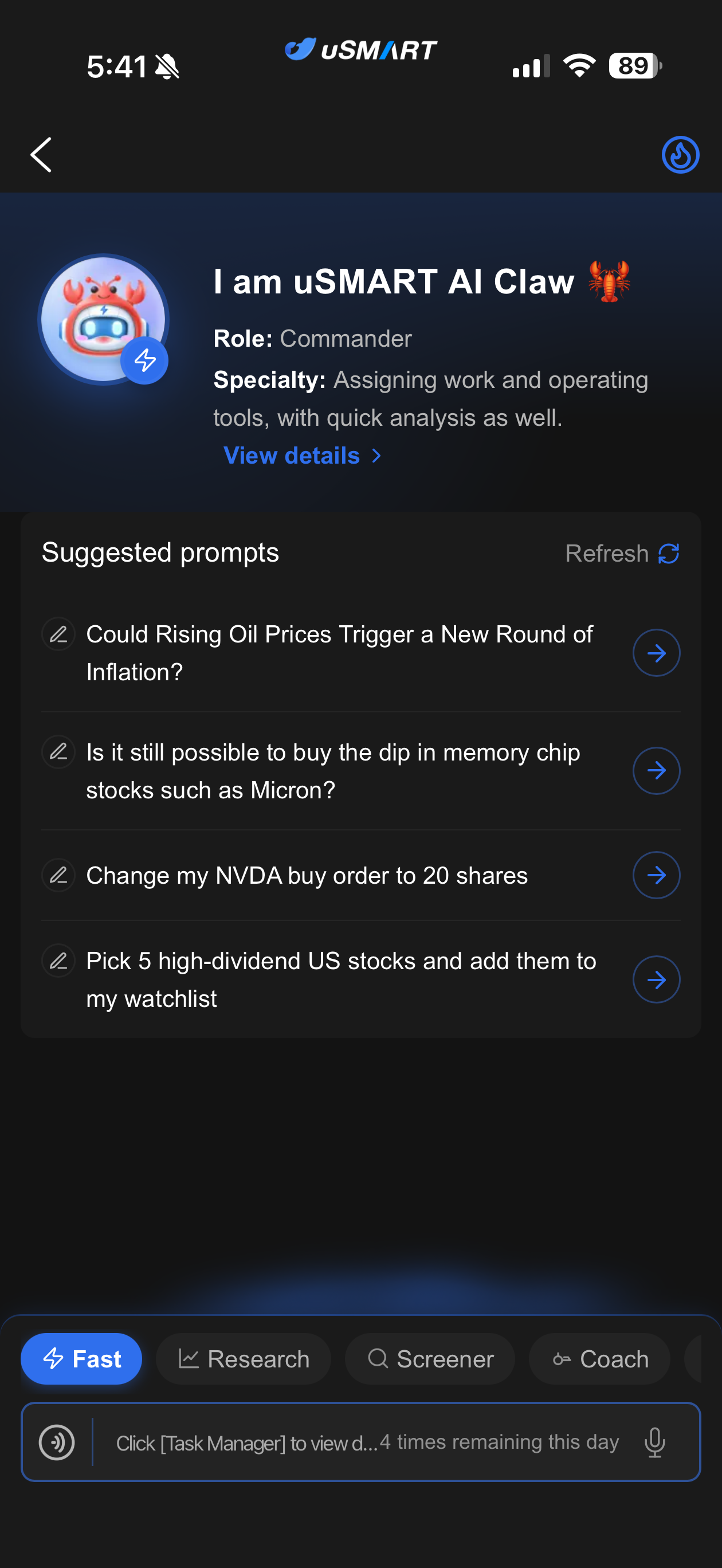
In the uSMART app, open uSMART AI Claw from the SmartPicks page. You can also tap the Claw icon on the Quotes page. If you have not installed the app, visit the official uSMART download page. Once inside, use the tabs at the bottom to choose a role, then type or speak your question. Each role has suggested prompts; tap “Refresh” to see more examples.
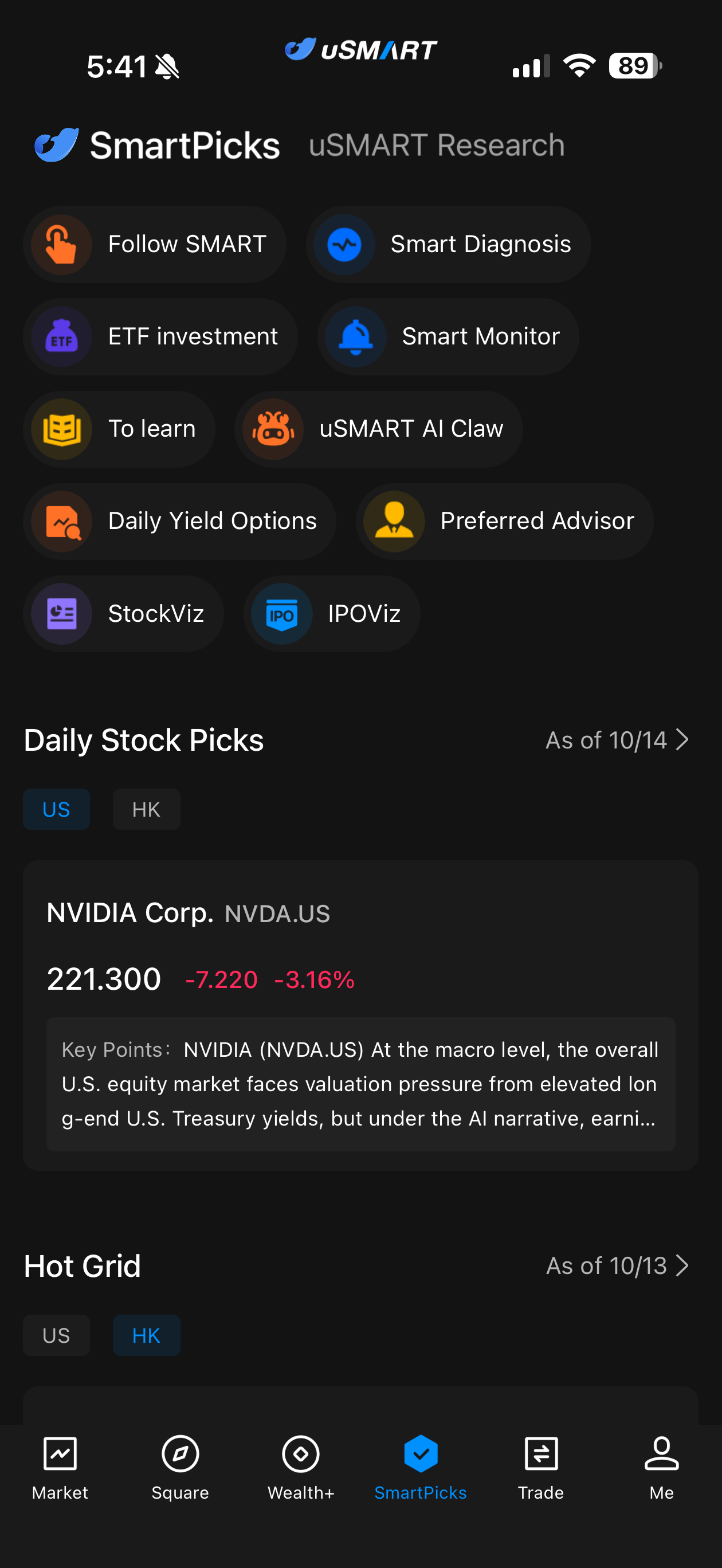
For your first question, try: “Analyze a company's latest earnings and list the positive factors, risks, and figures I should verify.” If another role is better suited to the question, the app will prompt you to switch roles and ask again.
What is the difference between the 8 AI Claw roles?
| Role | Best for | Example prompt |
|---|---|---|
| uSMART AI Claw | Routing questions, finding information, and performing certain app actions | “Add NVDA to my watchlist.” |
| Research Claw | Earnings, company fundamentals, industry events, and market impact | “How might changes in Alibaba Cloud's earnings affect Alibaba's valuation?” |
| Screener Claw | Screening stocks by financial, technical, or thematic criteria and reviewing historical performance | “Find US stocks with revenue growth over the past three years and ROE above 12%.” |
| Coach Claw | Account analysis based on holdings and trading records you authorize it to access | “Is my portfolio too concentrated?” |
| Task Claw | Stock price, earnings, and scheduled alerts | “Alert me if Apple's share price falls below US$293.” |
| Options Claw | Screening options contracts and explaining volatility, Greeks, and strategies | “Find call options expiring in 30 to 60 days with IV/HV below 0.9.” |
| Support Claw | Accounts, deposits and withdrawals, fees, trading rules, and app navigation | “Is there a withdrawal fee?” |
| Quant Claw | Writing quantitative strategies in plain language, generating a strategy card and code, and running backtests and paper trading | “Backtest: 5-minute candles, buy when MA10 is above MA30 and the MACD fast line is above the slow line, sell when MA10 crosses below MA30.” |
Not sure where to start?
Start with uSMART AI Claw. It acts as the team's coordinator, handling general questions and certain app actions while guiding you to a more suitable specialist. For example, send questions about company events and valuation to Research Claw, stock screening requests to Screener Claw, questions about your own holdings to Coach Claw, and trading rules you want to test to Quant Claw.
How can each AI Claw role help?
uSMART AI Claw: Questions, routing, and app actions
uSMART AI Claw is useful when you are asking “Where should I go for this?” or “Can you help me do this in the app?” You might ask: “Where can I exchange currencies?” “Add NVDA to my watchlist,” or “Show me how this stock is performing right now.” Its features also include text-based order placement and order management. Before issuing any trading instruction, check the instrument, side, quantity, price, and order status.
Research Claw: Companies, earnings, and market events
Research Claw is suited to questions that require an explanation or comparison of data. For example: “What were the growth drivers and risks in NVIDIA's latest earnings report?” or “How might rising oil prices affect airline earnings?” Include the market, company, time period, and metrics that matter most to you for a more focused answer. Always check the date and source of recent figures.
Screener Claw: Turn an idea into screening criteria
Screener Claw can find stocks using financial data, technical indicators, chart patterns, or investment themes. It can also review how the criteria performed using historical data. For example: “Find US companies with revenue growth over the past three years, ROE above 12%, and a P/E ratio below 25.” You can also ask: “Which stocks on my watchlist have recently shown a bullish MACD crossover?”
Coach Claw: Review your own holdings and trades
Coach Claw addresses questions about your account, such as: “Are my holdings concentrated in one industry?” “What can I learn from my trades over the past month?” or “Which of my holdings might be affected by higher oil prices?” Before it analyzes your holdings or trading records, you must grant access as prompted in the app. Consider its analysis alongside your investment goals and risk tolerance.
Task Claw: Set price and event alerts
Task Claw can help set alerts for price moves, earnings announcements, and other events. For example: “Alert me if Tesla shares rise 3%” or “Notify me when Apple reports earnings.” After setting an alert, check the ticker, trigger condition, notification permissions, and whether the alert was created successfully.
Options Claw: Understand contracts and strategy risks
Options Claw can answer questions about contract data, implied volatility (IV), historical volatility (HV), Delta, and other measures. It can also explain spread strategies and potential profit or loss. For example: “Find call options expiring in 30 to 60 days with IV/HV below 0.9 and Delta between 0.35 and 0.55.” If you are still learning about calls, puts, and premiums, start with uSMART's introduction to options. When reviewing screening results, check the quote time, trading volume, bid-ask spread, expiry date, margin requirements, and maximum potential loss.
To learn about available products and permissions, see the US options product page. For extended trading hours, read the pre-market US options guide and the pre-market trading product page.
Support Claw: Accounts, fees, and how to use the app
Support Claw is suited to questions such as: “Is there a withdrawal fee?” “How do I enable options trading?” or “What time does US pre-market trading start?” Fees, available products, and trading hours may vary by account and market, so check the latest information in the app before taking important actions. You can also consult the uSMART Help Center for relevant rules.
Quant Claw: Write a strategy in plain language and backtest it
Quant Claw's role is Director of Quantitative Research. It helps you write quantitative strategy scripts and covers the full workflow of backtesting and paper trading. You do not need to know how to code. Describe your buy rules, sell rules, and stock universe in everyday language, and Quant Claw turns them into a strategy card, generates the strategy code, and runs the backtest. Live trading is not yet available.
A strategy generally needs the following details:
- Stock universe: specify a stock pool directly, or set criteria to screen the stocks to trade.
- Buy conditions, sell conditions, and stop-loss conditions.
- Backtest period and candle (K-line) type.
Any field you leave unclear is marked “To be added”, and the backtest starts once it is filled in. If you do not specify the candle type, backtest period, initial capital, fees, position sizing, or benchmark, default values are used and labeled “Default”.
How it works
- Describe the strategy in plain language. State the buy rule, sell rule, and stock universe, and Quant Claw organizes them into a strategy card. For example: “Buy on a MACD golden cross and sell after holding for 3 days,” or “Use AAPL as the stock pool, buy when the 5-day moving average crosses above the 20-day, and sell when it crosses below.”
- Fill in missing items. For example: “Change the sell rule to sell after holding for 5 days,” or “Set initial capital to 200,000, backtest the last two years, stop loss if price falls 8% below the buy price, take profit at 15% gain.” Stop-loss, take-profit, and holding period can also be added later.
- Generate the code and run the backtest. Once the rules are confirmed, you can expand the strategy card to view or copy the code, and backtest progress appears on the same card. When it finishes, open the backtest report to see total return, annualized return, maximum drawdown, Sharpe ratio, win rate, the equity curve, and trade details. For example: “Use daily candles and backtest the last year.”
- Keep refining, or move to paper trading. You can keep changing the rules in the same conversation and run the backtest again. The strategy is also saved under “My Strategies”. After a successful backtest, you can start a paper-trading run using the same strategy code. It does not place real orders.
What is supported
| Item | Details |
|---|---|
| Market | US stocks only for now |
| Candle intervals | 1, 5, 10, 15, 30, 60, and 120 minutes, plus daily, weekly, and monthly; monthly and 120-minute candles can be used for backtests only, not paper trading |
| Indicators and conditions | About 70 technical indicators (such as moving averages, Bollinger Bands, SAR, MACD, RSI, and STOCH, ADX, and CCI), 22 math and calculation functions, and 9 operators (such as crosses above and crosses below) |
| Stop loss / take profit | Stop loss can be written as a fall to a percentage of cost or as a percentage loss, from 0 to 100%. Take profit ranges from 0 to 1000%. You can also sell after holding for N candles, where N is 1 to 10,000. Prices are based on the average price of each candle that triggers a buy signal, so stop loss and take profit are based on price, not profit or loss after fees |
| Backtest period | The default candle type is daily. Backtests on 1-minute and 5-minute candles default to the last six months, and others default to the last year. Maximum periods: six months for 1-minute and 5-minute candles; 2 years for 10-, 15-, 30-, 60-, and 120-minute candles; and from 1 January 2023 to today for daily, weekly, and monthly candles (about 3.7 years as of October 2026) |
| Stock pool | Sources can be index constituents (S&P 500, Nasdaq 100, Dow 30, Philadelphia Semiconductor), the top N stocks by market cap, or tickers you enter manually, up to 300 stocks. Dynamic stock pools are also supported, with the pool refreshed weekly, monthly, quarterly, or yearly, in both backtests and paper trading |
| Initial capital | Backtests default to US$100,000. Paper trading defaults to US$100,000, with a maximum of US$9,999,999 |
| Fees and position sizing | Default base fee of 0.05% plus 0.1% slippage. By default, capital is split equally across the tradable stocks in the pool, and goes fully into one stock if the pool has only one |
| Benchmark | Defaults to the Nasdaq (QQQ as proxy) and cannot be changed |
On the Quant Claw page, tap “Refresh” under the suggested prompts to see more examples of how to word a backtest request. A backtest uses historical data to show how a strategy would have performed in the past. Backtest returns do not represent future performance, and none of this constitutes investment advice.
How many questions can you ask uSMART AI Claw each day?
The currently listed daily question allowances are shown below. The allowance is shared across all AI Claw roles.
| Account tier | Questions per day |
|---|---|
| Standard / Trader | 1 |
| V1 Pro | 4 |
| V2 Pro | 8 |
| V3 Pro | 16 |
You can see your remaining questions in the chat input area. Your account tier, promotions, and app version may affect the allowance; refer to what the app displays on the day you use it.
Frequently asked questions
Is uSMART AI Claw a separate app?
No. It is a feature within the uSMART app. You can access it from areas such as SmartPicks and switch between roles in the same interface.
Can uSMART AI Claw place an order for me?
uSMART AI Claw's product introduction includes text-based order placement and order management. Availability depends on your account permissions and the features offered in the app at the time. Check every order detail before submission, and do not make a trading decision solely on an AI response.
Can Coach Claw access my actual holdings?
Personal analysis involving your holdings and trading records requires you to grant access in the app first. Refer to the app's explanations and relevant privacy documents for the scope of access and how your data is used.
Can Screener Claw's backtests predict returns?
No. A backtest uses historical data to examine how screening criteria performed in the past. Its results depend on the sample period, trading costs, and market conditions, and do not indicate future returns.
Do I need to know how to code to use Quant Claw?
No. You can describe your buy rules, sell rules, and stock universe in everyday language, and Quant Claw turns them into a strategy card and generates the strategy code. Fields that are not yet filled in are marked “To be added”, and the backtest starts once they are complete.
Does Quant Claw's paper trading place real orders?
No. Paper trading started after a successful backtest uses the same strategy code and does not place real orders. Live trading is not yet available.
Risk disclosure
uSMART AI Claw is a virtual avatar and not a real person. The information provided constitutes solely an objective compilation of data without any specific targeting, and does not take into consideration the personal financial situation, investment objectives, or risk tolerance of any investor. Investors must not treat any data provided by uSMART AI Claw as absolute fact or use it as the basis for any investment decisions.
Trading options carries a high degree of risk, and the total loss sustained may exceed your initial margin deposit. Under conditions of extreme market volatility, the execution of trading orders cannot be guaranteed. Before engaging in any transactions, it is crucial to fully comprehend the mechanics of options trading, particularly the procedures and obligations pertaining to expiration and exercise.
About the author|Xiao Li
Seasoned financial writer. Focuses on clear investor education and market-structure explainers, with a long-term aim of financial freedom.